
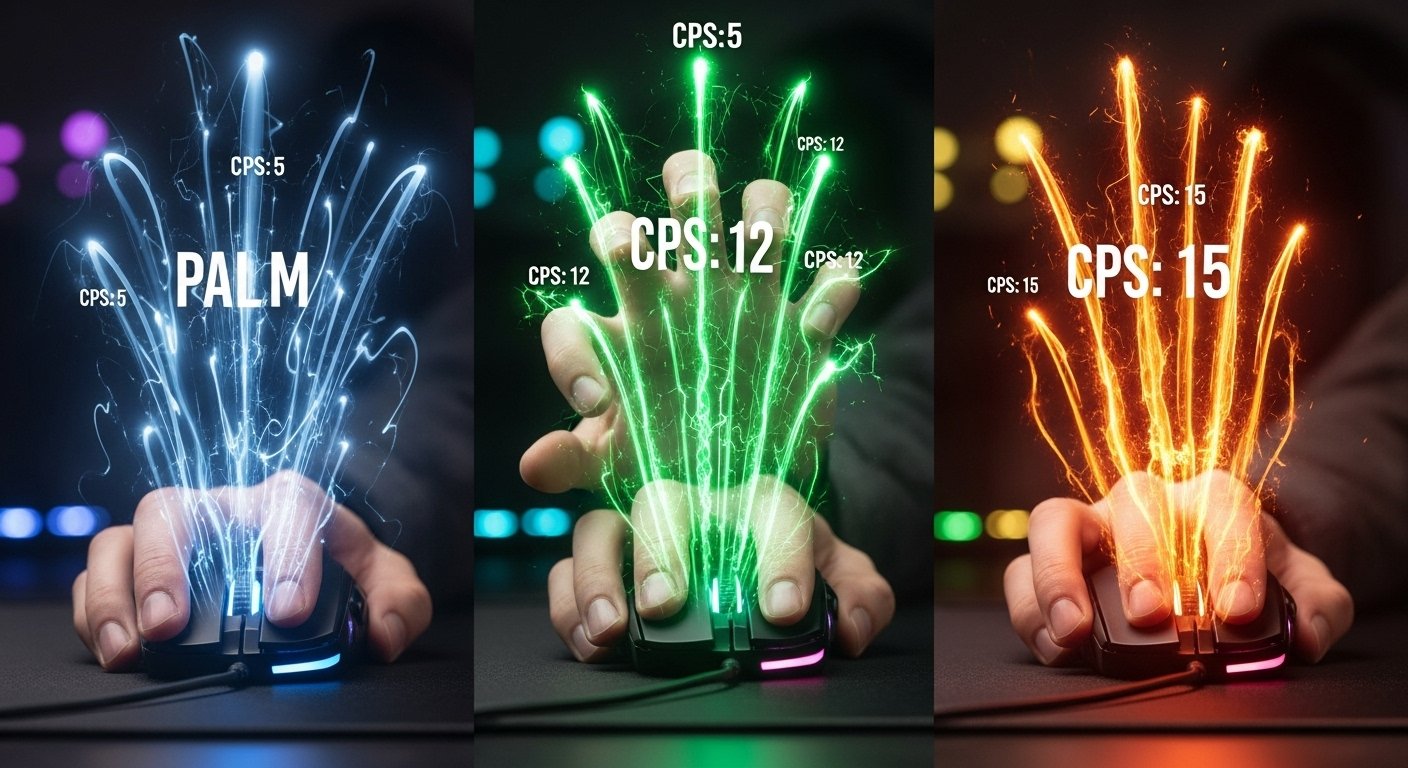
Picture this: you’re trying to learn the butterfly clicking technique, drumming your fingers furiously, but something feels… off. Your clicks are slow, inconsistent, and your hand feels awkward, almost fighting against the motion. What you might not realize is that the problem isn’t just your fingers; it’s your entire grip. The way you hold your mouse is the fundamental platform for every click you make, and choosing the wrong style can physically limit your speed. This guide will show you how to choose the right mouse grip (Palm vs. Claw vs. Fingertip) for Max CPS, going beyond simple comfort to analyze how each grip impacts your potential Clicks Per Second.
Forget generic ergonomic advice. We are diving deep into the biomechanics of speed. We’ll explore the three main grip styles not just as ways to hold your mouse, but as distinct performance platforms, each with unique advantages and disadvantages for achieving maximum clicking speed. You will learn how finger independence, stability, and the ability to execute advanced clicking techniques are directly tied to your grip. Before we dissect each style, it’s helpful to know your starting point. Take a quick CPS test with your current grip to get a baseline. By the end of this guide, you won’t just know your grip style; you’ll understand which grip offers the highest ceiling for pure, unadulterated clicking speed.
Palm Grip: The Comfort King (But is it Fast?)

The palm grip is often the most common and natural-feeling grip for many PC users. It’s characterized by your entire hand resting flat on the mouse, with your palm making full contact and your fingers lying relatively flat on the buttons. It’s renowned for comfort during long sessions, but how does it stack up when the goal is Max CPS?
How It Works: Full Hand Contact, Relaxed Fingers
With a palm grip, your hand essentially envelops the mouse. Your palm rests securely on the back, and your fingers extend forward to rest flat on the buttons. This minimizes strain on your wrist and fingers because the larger muscles of your palm and arm do most of the work for aiming movements. It’s the “La-Z-Boy recliner” of mouse grips—comfortable, stable, and relaxed.
The CPS Bottleneck: Why Palm Grip Limits Finger Speed
Here’s the problem for speed demons: that very comfort and stability comes at the cost of finger agility. Because your fingers are lying flat, their range of motion and independence are significantly restricted.
- Limited Dexterity: It’s physically difficult to lift and press your fingers rapidly and independently when they are extended flat. The muscles required for quick, precise finger movements aren’t optimally engaged.
- Poor for Advanced Techniques: Palm grip makes techniques like butterfly clicking almost impossible because there’s simply not enough space or freedom for two fingers to drum effectively. Jitter clicking is also much harder to control, as the full hand contact tends to dampen the necessary vibrations.
Essentially, the palm grip prioritizes arm movement for aiming over finger movement for clicking, creating a natural bottleneck for achieving a truly high CPS score on tests like the Kohi Click Test.
Can You Achieve High CPS with Palm Grip? (The Hard Truth)
While a skilled player can certainly get a decent score (perhaps 6-8 CPS) with a palm grip using normal clicking, reaching the truly elite speeds (10+ CPS) needed for competitive Minecraft or setting records is extremely difficult, if not impossible, with this grip style. The physical limitations are simply too great. If your primary goal is maximizing your Clicks Per Second, the palm grip is actively working against you.
A Personal Story: Why I Had to Abandon Palm Grip for Competitive Play
For years, I used a palm grip. It felt comfortable, and my aim in FPS games was decent. Then I got serious about Minecraft PvP. I kept losing fights against players whose clicks sounded impossibly fast. I practiced for hours, but my speed on the CPS Test plateaued around 7 CPS. I watched videos of pro players and noticed none of them held the mouse like I did. They used claw or fingertip grips. Reluctantly, I decided to switch. It felt incredibly awkward at first, like learning to write with my opposite hand. But after a week of forcing myself to use a claw grip, something clicked. My fingers felt free, agile. My CPS score jumped to 11 almost overnight. It was undeniable proof: my comfortable palm grip had been the anchor holding back my speed.
Claw Grip: The Aggressive Hybrid (Built for Speed?)

The claw grip is a popular style among gamers, often seen as a middle ground between the stability of palm grip and the agility of fingertip grip. It’s characterized by an arched finger position and provides a unique balance that can be incredibly effective for achieving a high CPS score, especially with certain techniques.
How It Works: Arched Fingers, Palm Support, Aggressive Stance
With a claw grip, your palm rests lightly on the very back edge of the mouse for stability, but your fingers are arched upwards, contacting the main buttons with your fingertips. This creates a distinctive “claw-like” shape. The key difference from palm grip is the reduced contact area and the angled finger position, which keeps the finger muscles slightly tensed and ready for action.
The Speed Advantage: How Claw Grip Unlocks Finger Agility
That arched finger position is the secret to the claw grip’s speed potential. Unlike the flat fingers of a palm grip, the arched posture allows for:
- Faster Actuation: Your fingertips are positioned directly over the switches, allowing for quicker, more direct presses.
- Increased Independence: The arched position naturally encourages more independent finger movement, making it easier to perform rapid clicks without moving your whole hand.
- Reduced Travel Distance: Because you’re clicking with the tips, you can often actuate the switch with less downward travel compared to a flat finger.
This focus on fingertip control makes claw grip inherently faster than palm grip for raw clicking speed.
Why Claw Grip is the Jitter Clicking Champion
Claw grip is widely considered the optimal grip for jitter clicking. The combination of palm stability at the back of the mouse and finger agility at the front is perfect for this technique. The stable palm helps you control the mouse’s overall movement while your arm vibrates, and the arched fingers allow that vibration to be efficiently transferred into rapid clicks. Many players find it much easier to control their aim while jittering using a claw grip compared to other styles. Mastering this combination is a key part of achieving high scores on tests like the 10-second jitter click test.
The Downside: Potential for Strain and Fatigue
The aggressive, slightly tensed nature of the claw grip can lead to hand strain or fatigue during very long gaming sessions compared to the more relaxed palm grip. The constant arching of the fingers puts more stress on the tendons. It’s crucial for claw grippers to take regular breaks and perform hand stretches to prevent discomfort or potential Repetitive Strain Injury (RSI).
Fingertip Grip: The Nimble Ninja (Maximum Agility, Maximum Speed?)

The fingertip grip is the most extreme style in terms of minimizing contact with the mouse. It’s exactly what it sounds like: only your fingertips touch the mouse buttons and sides, while your palm floats completely above the surface. This style offers unparalleled agility, but does that translate directly to the highest Max CPS?
How It Works: Only Fingertips Touch, Maximum Range of Motion
With a fingertip grip, your entire hand hovers, making contact only through the tips of your thumb, ring finger, pinky (for control), and index/middle fingers (for clicking). This minimal contact allows for an incredible range of motion, controlled almost entirely by your fingers rather than your wrist or arm. It’s the most nimble and delicate way to interact with your mouse, allowing for rapid micro-adjustments and movements.
The Ultimate Dexterity: How Fingertip Grip Enables Butterfly Clicking
This grip style is practically tailor-made for butterfly clicking. The minimal contact and floating palm provide the absolute maximum freedom and independence for your index and middle fingers. There’s nothing restricting their ability to perform the rapid, alternating drumming motion required for this technique. The space and agility offered by the fingertip grip make it much easier to achieve the high speeds (15-20+ CPS) that butterfly clicking is famous for. If you’re serious about mastering this technique, adopting a fingertip grip is often a necessary step, as explained in our master guide to butterfly clicking.
The Control Challenge: Why Stability is Sacrificed for Speed
The major downside of fingertip grip is the lack of stability. With only your fingertips anchoring the mouse, precise aiming can become much more challenging, especially during fast movements. Small inconsistencies in finger pressure can lead to shaky aim. While this grip unlocks maximum finger speed for clicking, that speed might be useless if you can’t keep your crosshair on target. It’s the ultimate trade-off: sacrificing aiming stability for clicking agility.
Case Study: How Switching to Fingertip Grip Doubled My Butterfly CPS
I had been practicing butterfly clicking for weeks using a relaxed claw grip, but my score on the CPS Test was stuck around 9-10 CPS. My fingers felt cramped, like they were fighting each other for space on the button. I decided to try lifting my palm completely off the mouse, shifting to a pure fingertip grip. The difference was immediate and staggering. My fingers suddenly felt light and free. The drumming motion became effortless. Within that first session, my score jumped to over 18 CPS. The grip hadn’t just made me faster; it had unlocked the technique’s true potential by removing the physical restrictions my old grip imposed.
The Verdict: Which Grip is Objectively Best for Max CPS?

After analyzing the mechanics of each grip style and how they interact with high-speed clicking techniques, a clear hierarchy emerges when the sole objective is maximizing your Clicks Per Second. While comfort and aim are important, if raw speed is your ultimate goal, some grips offer undeniable physical advantages.
For Jitter Clicking Speed: Claw Grip Wins 🏆
The claw grip provides the optimal combination of stability and finger agility required for effective jitter clicking. The palm contact offers control, while the arched fingers allow the vibration to translate into rapid clicks without excessive mouse movement. While fingertip grip can work, the lack of palm stability makes controlling the jitter much harder. Palm grip actively dampens the vibration. For consistent, high-speed jittering, claw grip is the clear winner.
For Butterfly Clicking Speed: Fingertip Grip Excels 🦋
The fingertip grip offers the absolute maximum finger independence and freedom of movement, making it the superior choice for butterfly clicking. The lack of palm contact allows your index and middle fingers to perform the rapid drumming motion without restriction. While a relaxed claw grip can work, fingertip grip unlocks the highest potential speeds (15-20+ CPS) for this technique. Palm grip is simply not viable for effective butterfly clicking.
For Drag Clicking Speed: Grip is Less Important than Mouse Surface🖱️
For drag clicking, your specific grip style (Palm, Claw, or Fingertip) is less critical than the texture of your mouse and the moisture level of your finger. This technique relies on creating friction. As long as your hand is relaxed enough to allow your finger to glide across the button with light, consistent pressure, any grip can work. The focus shifts from grip mechanics to the physical interaction between skin and surface. You can learn more about the specific mice that excel here in our guide to the best mouse for drag clicking.
Why Palm Grip is Consistently the Slowest Option 🐢
While the most comfortable for many, the palm grip consistently ranks last for achieving maximum CPS. Its primary drawback is the restriction it places on finger independence and agility. By keeping the fingers relatively flat and anchored, it physically limits the speed at which they can actuate the switches, especially for advanced techniques. If your number one priority is clicking speed, the palm grip is a significant handicap.
How to Choose YOUR Best Grip for Speed (A Practical Guide)

Knowing the theoretical best grip for each technique is helpful, but your unique hand size, mouse shape, and personal comfort play a huge role. Finding your optimal grip for Max CPS is a process of self-discovery and experimentation. This simple guide will walk you through it.
Step 1: Assess Your Hand Size and Mouse Shape
First, consider your tools.
- Hand Size: Smaller hands might struggle with the spread required for a stable claw or fingertip grip on a large mouse. Conversely, large hands might feel cramped trying to fingertip grip a small mouse.
- Mouse Shape: Some mice are ergonomically designed specifically for palm grip, making claw or fingertip feel unnatural. Ambidextrous, flatter mice (like many on our list of the best gaming mice for high CPS) tend to be more versatile for different grip styles.
Be honest about whether your current mouse is even suitable for the grip style you want to try.
Step 2: Identify Your Preferred High-CPS Technique
What kind of speed are you aiming for? Your target technique heavily influences your optimal grip.
- If your goal is Jitter Clicking mastery, focus on developing a stable Claw Grip.
- If you’re aiming for the highest speeds with Butterfly Clicking, experimenting with Fingertip Grip is essential.
- If Drag Clicking is your aim, grip is less critical, but a relaxed hand (often closer to palm or relaxed claw) is beneficial.
Don’t try to force a grip that doesn’t align with the mechanics of your chosen clicking method. Check out our guide comparing Jitter Clicking vs. Butterfly Clicking for more context.
Step 3: Experiment and Measure with a CPS Test
This is the most important step. Theory is nice, but data tells the truth.
- Try Each Grip: Spend 5-10 minutes attempting your preferred clicking technique (Jitter or Butterfly) with each of the three main grip styles (even the ones that feel unnatural).
- Measure Your Performance: After practicing with each grip, take 2-3 attempts on a 10-second CPS Test. Record your average score for each grip style.
- Analyze the Results: The numbers will often reveal a clear winner, even if it’s not the grip that felt most comfortable initially. Your highest score indicates the grip that currently offers you the best mechanical advantage for speed.
Finding a Hybrid: Can You Combine Grips for Speed and Comfort?
Many players don’t fit perfectly into one category. You might find yourself using a “relaxed claw” (closer to palm but with slightly arched fingers) or a “palm/fingertip hybrid.” That’s perfectly okay! The goal isn’t to rigidly adhere to a definition but to find the position that allows your fingers the most effective combination of speed and control. Use the main grips as starting points and feel free to adjust until you find the sweet spot that maximizes your score and minimizes discomfort.
Frequently Asked Questions (FAQ)
You’ve learned how each grip impacts speed and how to find your best fit. But a few specific questions often come up. Here are the clear, direct answers.
Can I change my natural mouse grip? 🤔
Do pro gamers always use Claw or Fingertip grips? 🎮
Does grip matter more than the mouse itself for CPS? 🖱️
Is one grip healthier than the others? 💪
Conclusion
You now understand that the way you hold your mouse is far more than just a matter of comfort—it’s a critical performance choice. We’ve explored the biomechanics of speed, revealing how Palm grip offers stability but limits finger agility, while Claw and Fingertip grips unlock the potential for truly high Clicks Per Second (CPS) scores by maximizing finger independence. For pure speed, Claw excels for Jitter clicking, and Fingertip dominates for Butterfly clicking.
Remember the player struggling to butterfly click with an awkward grip? That confusion is gone. You are now empowered to analyze your own style, understand its limitations, and experiment with grips specifically designed to achieve Max CPS. Your journey to faster clicking doesn’t just involve training your fingers; it starts with choosing the right foundation. We challenge you to identify your current grip, try out the alternatives, and use a CPS test to see the difference for yourself.
Which speed-focused grip are you going to experiment with first? 🧪

Hello, I’m John Harbour, a software developer passionate about creating innovative and accessible AI tools. As the creator of cps-checker.com, I enjoy building useful software and writing blogs to help people get the most out of my creations.